
Settings
Tap the gear on the home screen.
Alarms
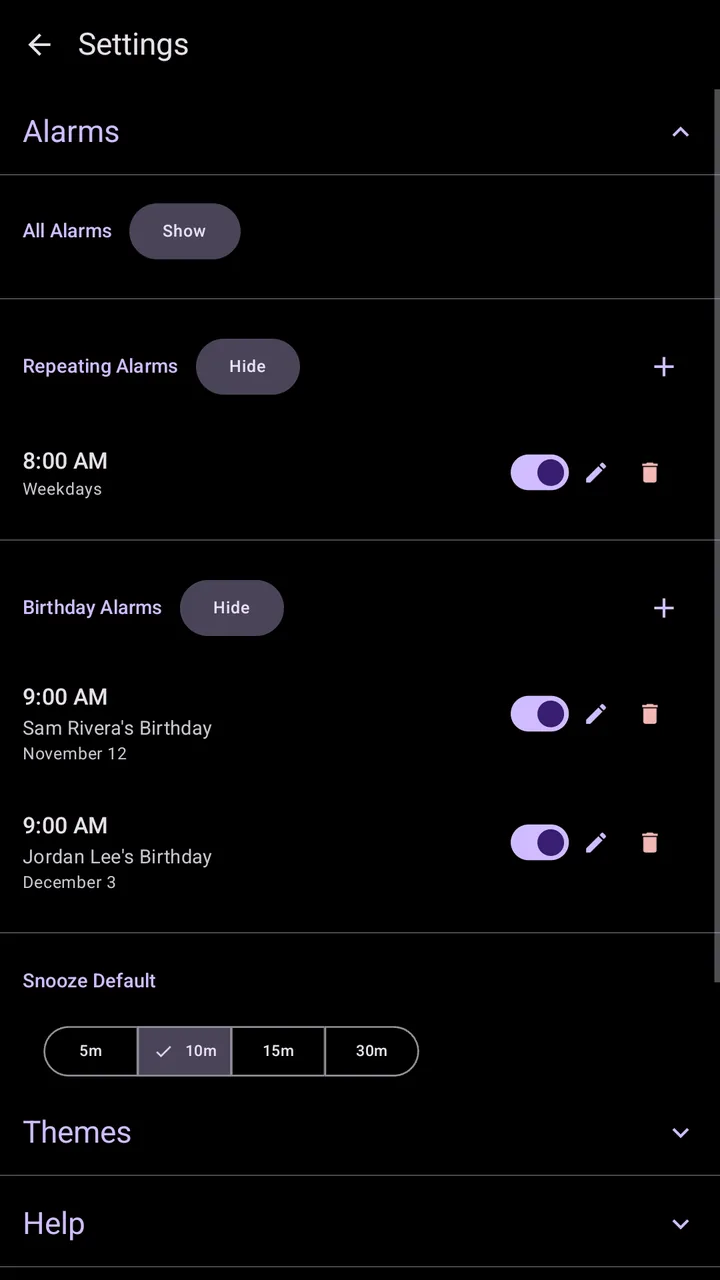
- All Alarms lists every alarm, not just the next 24 hours.
- Repeating alarms by day of the week, day of the month, chosen dates or built-in schedules.
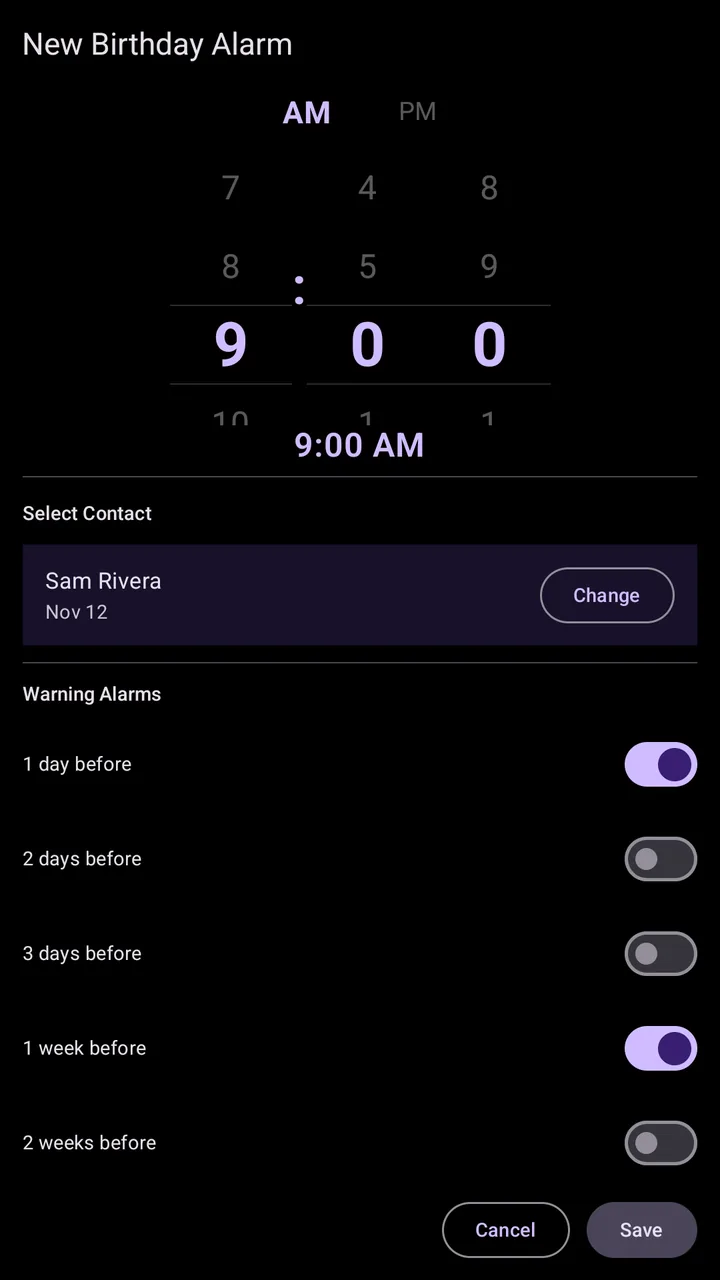
- Birthday alarms come from your contacts, every year.
- Warning alarms remind you 1 to 14 days before a repeating or birthday alarm.
- Snooze Default: 5, 10, 15 or 30 minutes.
Themes
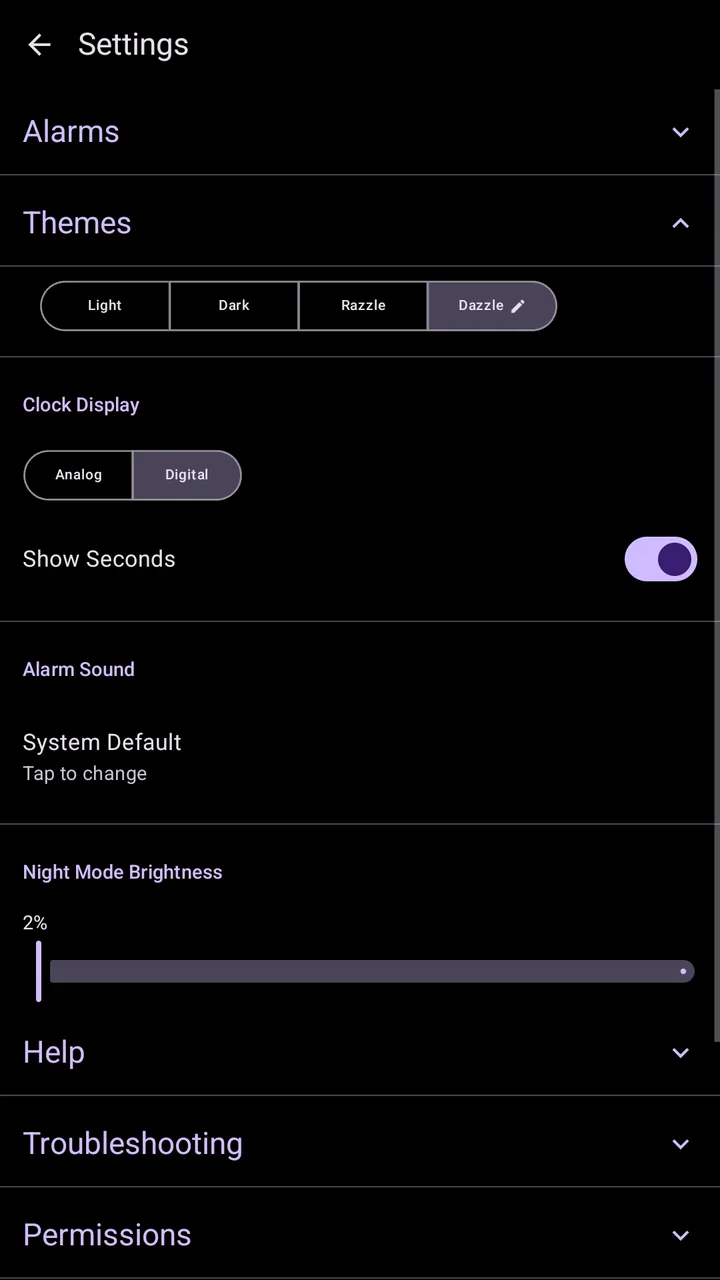
- Light and Dark, or Razzle and Dazzle with animated skies.
- Clock Display: analog or digital, with Show Seconds for digital.
- Alarm Sound and Night Mode Brightness.
The theme editor
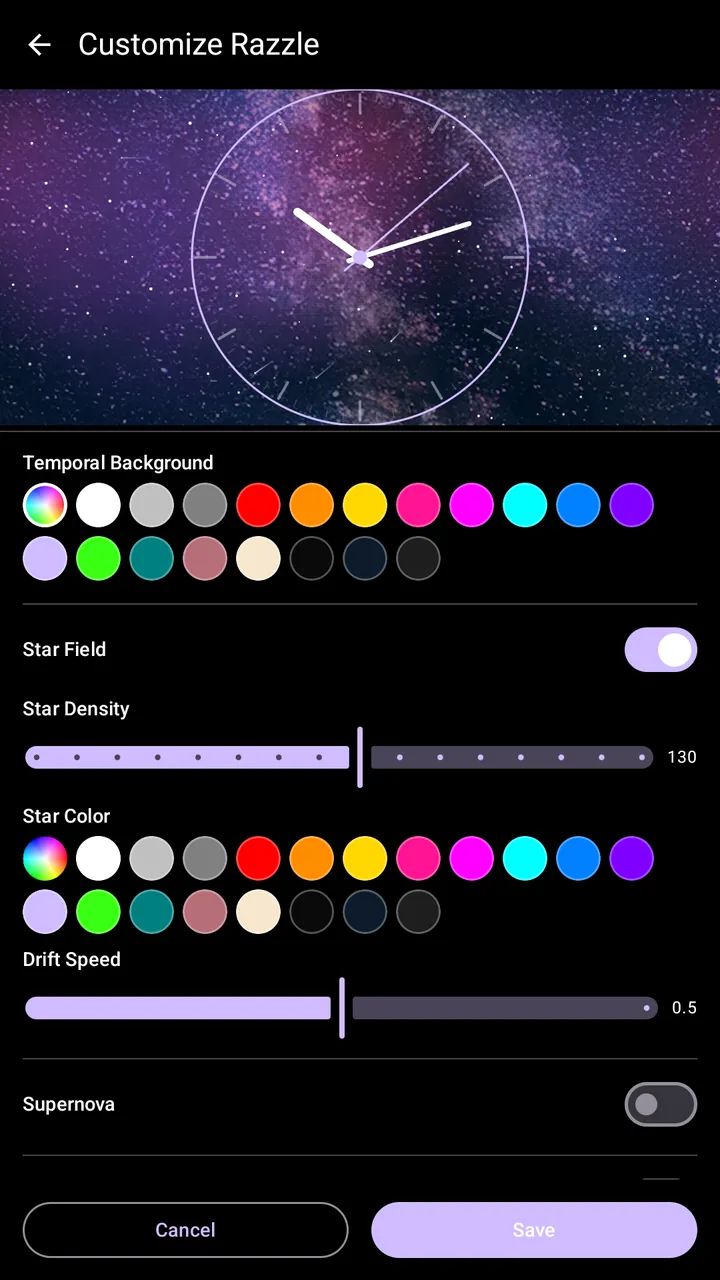
Tap the pencil on Razzle or Dazzle to make it yours: background, clock face, hands and their thickness, accent, ticks (lines, dots or none), ring and pivot colors. Each color has 18 swatches or a full color wheel.
Each effect has its own settings, shown on the Sky effects page. Reset to Default puts the theme back.
Permissions
Temporal needs three things to ring on time: Exact Alarms, Notifications, and battery optimization turned off for Temporal. Manage them in Settings, Permissions.
settings-permissions
Settings, Permissions open